Integration
Overview
The Wallee Portal Plugin integrates modern payment processing into Shopware 6, offering features like iFrame-based payments, refunds, captures, and PCI compliance.
Requirements
- Shopware Version: 6.5.x, 6.6.x, 6.7.x
- PHP: Version required by your Shopware installation
- Wallee Portal Account: Space ID, User ID, API Key from Wallee Portal Portal
Compatibility
| Shopware Version | Plugin Version | PHP Version | Support Until |
|---|---|---|---|
| 6.7.x | 7.x.x | PHP 8.2 and 8.3 | Ongoing |
| 6.6.x | 6.x.x | PHP 8.2 and 8.3 | December 2025 |
| 6.5.x - Deprecated | 5.x.x | PHP 8.2 and 8.3 | October 2024 |
Installation
Via the Shopware marketplace
-
Log in to your Shopware backend
-
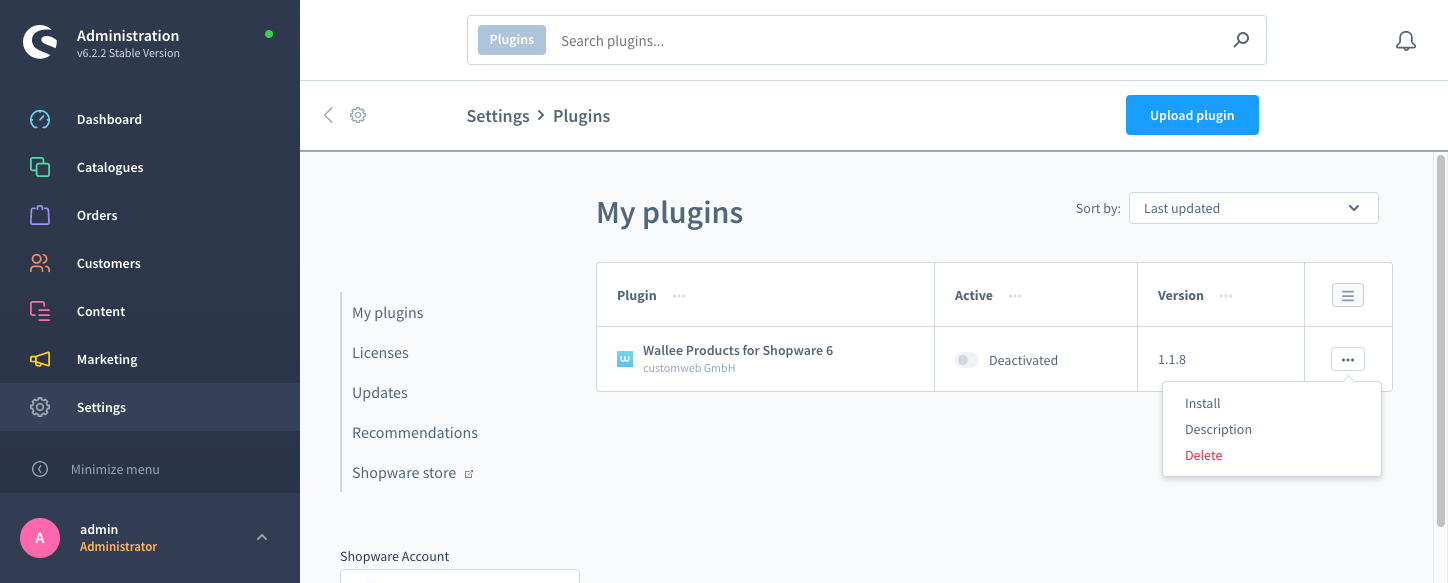
Go to Settings > System > Plugins
-
Click on the menu caret and select the Install link of the plugin to install\
-
Activate the plugin from the Plugin Manager.
Via Composer (recommended)
-
Navigate to your Shopware root directory.
-
Run:
composer require wallee/shopware-6
php bin/console plugin:refresh
php bin/console plugin:install --activate --clearCache Wallee
Manual installation
- Download the latest release
- Extract ZIP into custom/plugins/
- Run:
php bin/console plugin:refresh
php bin/console plugin:install --activate --clearCache Wallee Portal
Portal set-up
Create an application user
-
In Wallee Portal Portal, go to Account > Application Users
-
Create a new application user
-
Copy the user ID and authentication key — the key is shown only once, see Application User.
-
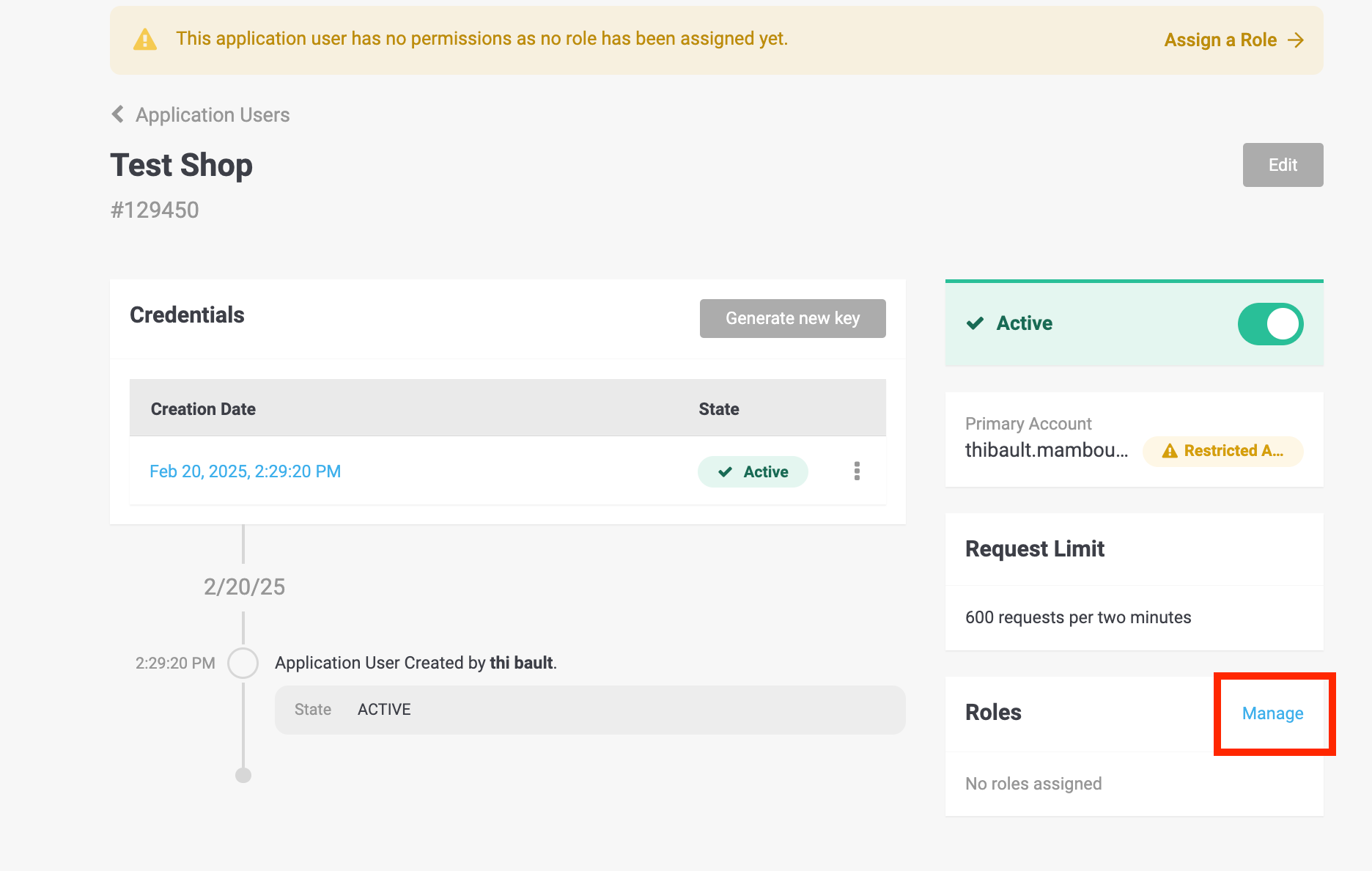
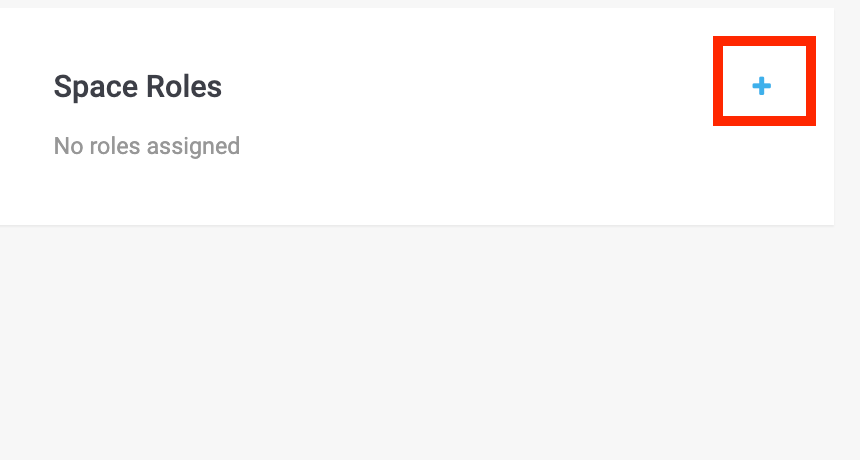
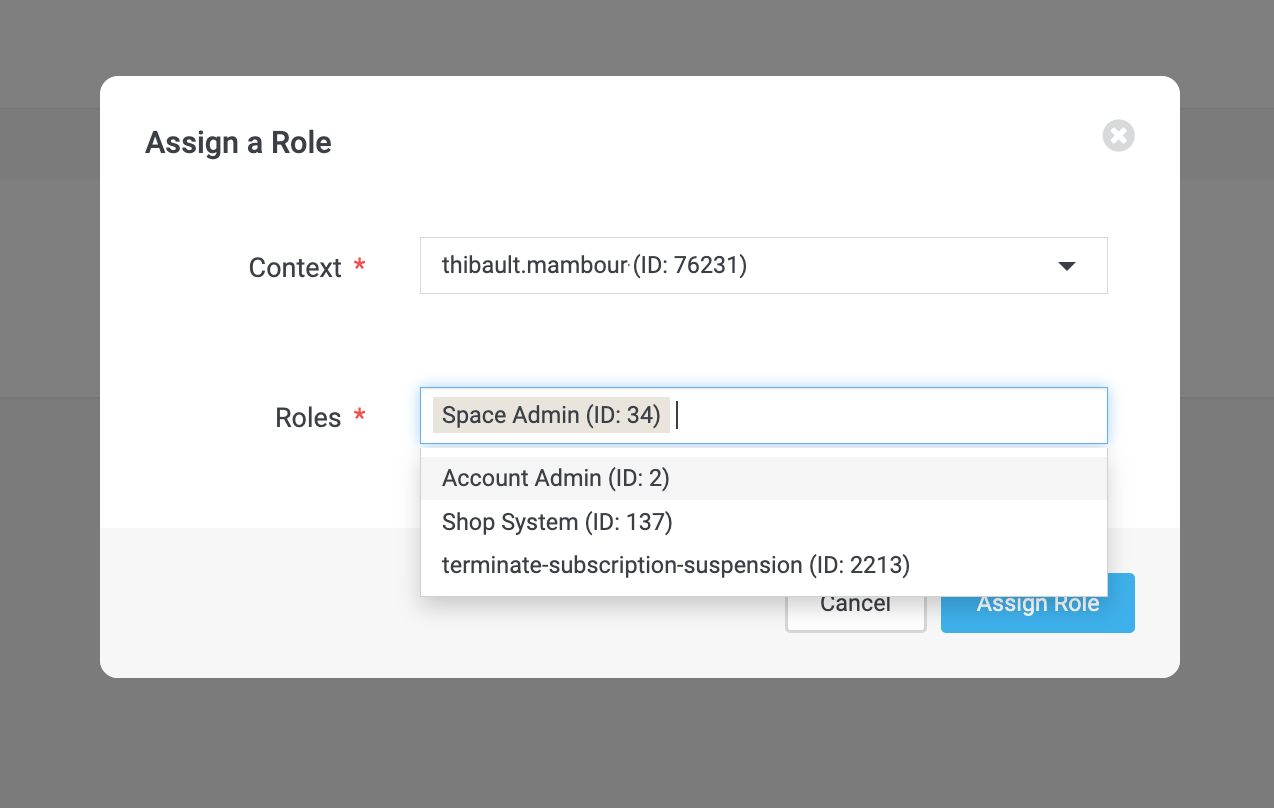
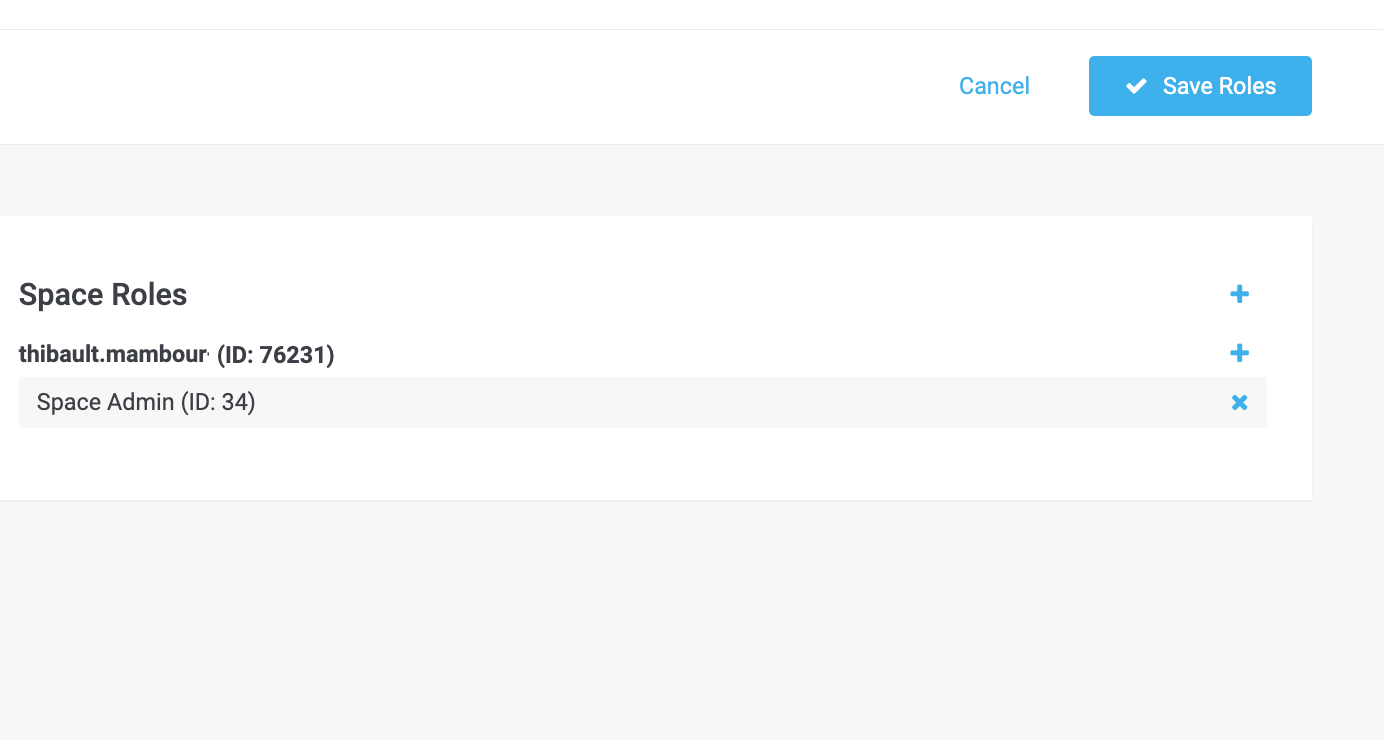
Assign the Space Admin role\
Set up payment methods
- In Wallee Portal Portal, go to Space > Settings > Processors
- Configure processor (e.g. Test Processor with Bogus Processor)
- Add Connectors
Shopware set-up
API credentials
- In Shopware Admin: Settings > Extensions > Wallee Portal
- Enter Space ID, User ID, API Key
- click on Save
Payment methods
- Managed in Wallee Portal Portal
- Disable methods in Portal or Shopware under Settings > Payment Methods
Options
| Option | What it does |
|---|---|
| Space View ID | Customizes the checkout style — see the space view configured in your space. |
| Integration options | iFrame, Lightbox or Payment Page — see Checkout Integrations. |
| Line item consistency | Handles rounding differences between Shopware and the transaction. |
| Send order confirmation email | Controls which system sends the confirmation email. |
Transaction states
The payment process is standardized across all payment methods — see Transaction States for the full lifecycle.
State mapping in Shopware
| State in Wallee Portal | Shopware order status |
|---|---|
| Authorized in Wallee Portal | In Progress |
| Authorization failed | Failed |
| Cancelled in Wallee Portal | Cancelled |
| Invoice paid in Wallee Portal | Paid |
Related topics
- Overview — the two ways a plugin connects to your space.
- Connector Configuration — where capture behaviour and 3-D Secure are configured.